Bespoke Pomodoro Guide — Alternate Focus and Breaks
Bespoke Pomodoro Guide — Alternate Focus and Breaks
Bespoke Pomodoro is a focus timer made for Web Novel Mode. During focus time you only write; during breaks the editor locks so you actually rest. This guide walks through choosing a mode, the two ways to start, and setting the warning chime and break sound.
Before you start
Bespoke Pomodoro is available when all of the following are true.
Web Novel Mode
It appears only while Web Novel Mode is on. You can turn the mode on right from the sidebar.
An episode file is open
Open the episode you plan to write today in the editor.
There are two ways to start. Choose Option 1 (top bar) to keep the regular editor view, or Option 2 (Focus Writing) to give the whole screen to your manuscript, together with a character target and Hard mode. Both options share the same settings.
Choose a mode
Pick a mode from the Type & purpose list on the settings screen, and the focus time, break time, and number of cycles change to that mode’s values.
| Type & purpose | Focus | Break | Cycles | Total time |
|---|---|---|---|---|
| Writer’s Block Breaker · Break through writer’s block | 15 min | 3 min | 6 | 105 min |
| Daily Serial Master · The most stable daily routine | 25 min | 5 min | 4 | 115 min |
| Deep Writing Immersion · For long, dense passages | 50 min | 10 min | 2 | 110 min |
New to it? Start with Writer’s Block Breaker: six rounds of 15 minutes of focus and 3 minutes of rest. If you have your own timing in mind, set it yourself with Custom mode below.
Set your own timing with Custom mode
If none of the three modes fits your rhythm, set the focus time, break time, and cycles yourself. Custom mode is not an item you pick from the list; the name appears on its own once you change the values.
-
1
Under Type & purpose on the settings screen, pick the mode closest to the rhythm you want. It is only a starting point, so any mode will do.
-
2
Type the numbers you want into the Focus (min), Break (min), and Cycles fields. Only digits are accepted. Focus can be 1–120 minutes, break 1–60 minutes, and cycles 1–12.
-
3
Once the three values no longer match any mode in the list, the mode name changes to Custom mode and the total time is recalculated for your values. Set all three back to a mode's values and that mode's name returns.
-
4
Check the total time and click Start.
For example, 40 minutes of focus, 8 minutes of break, and 3 cycles shows Total 136 min (2 h 16 min). There is no break after the last cycle, so the total is focus × cycles + break × (cycles − 1) (40 × 3 + 8 × 2 = 136).
Input rules
- A number above the maximum changes to the maximum right away. For example, typing 150 for focus gives 120.
- If you leave a field empty or type 0, it changes to the minimum of 1 when you leave the field.
- When the total is under 60 minutes, it is shown without the hours, as in “Total 55 min”.
- Your values are saved, so they are still there the next time you open the settings screen or relaunch the app. The top bar and Focus Writing versions share the same values.
Option 1. Start from the editor’s top bar
-
1
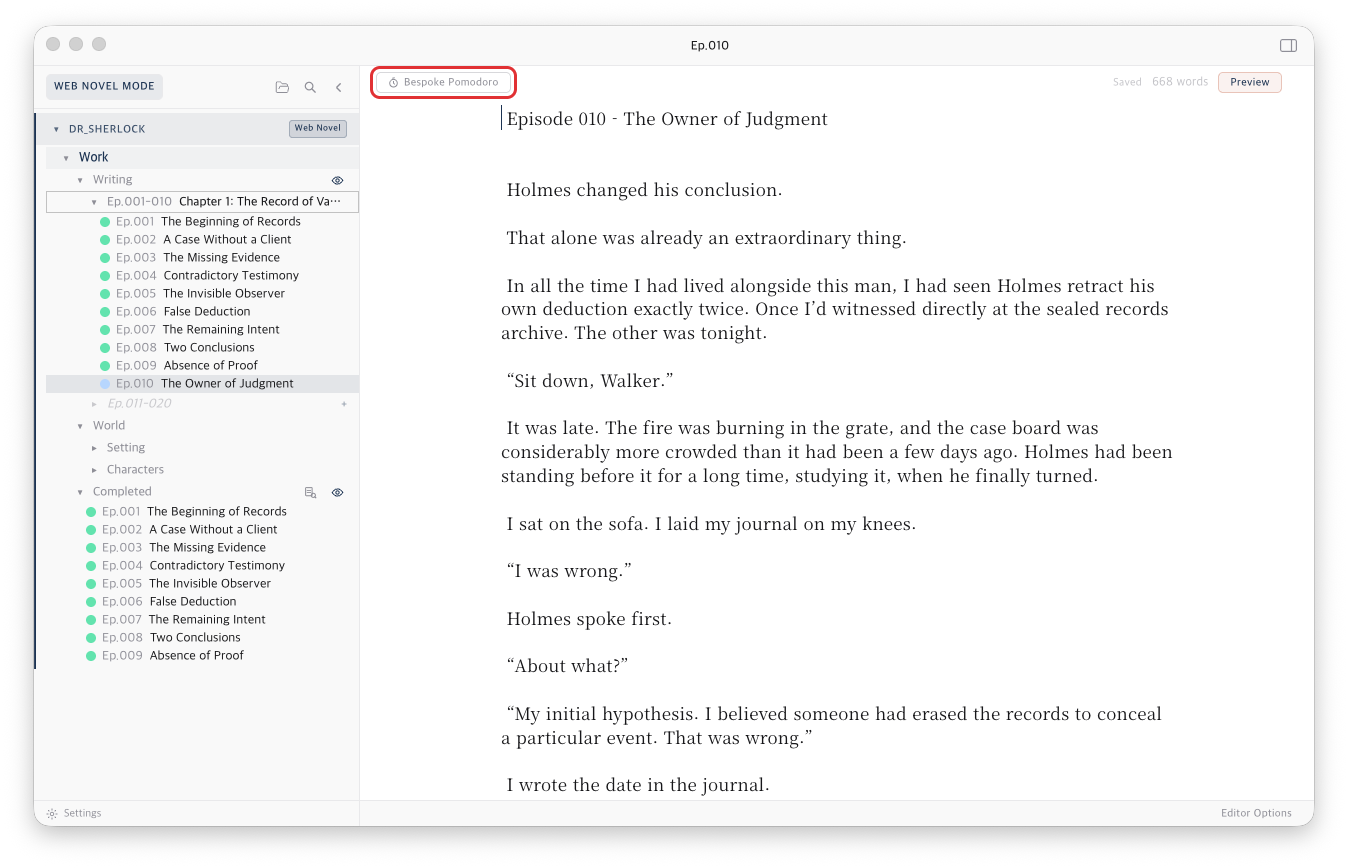
With an episode open in Web Novel Mode, the Bespoke Pomodoro button appears on the left of the editor's top bar. Click it.
-
2
On the settings screen, choose a Type & purpose, and adjust the focus time, break time, and cycles if you like.
-
3
Choose a 1-minute warning (Westminster, Music box, Chime, or Off), a Break sound (Off, Water, or Birds), and the Volume. Use the ▶ buttons to preview. The warning defaults to Westminster and the break sound to Off.
-
4
Click Start. The sidebar closes and the button turns into a progress display such as Focus 1/4 · 24:59.
Click the progress display to open its menu.
- Reset — keeps the current cycle and restarts only the timer of the current phase (focus or break).
- Compact view / Full view — Compact view shows only the time left; Full view also shows the phase and cycle, as in “Focus 1/4 · 2:46”. Your choice is remembered.
- Stop — ends Bespoke Pomodoro.
While it runs, the sidebar is locked and Focus Writing cannot be started. When Bespoke Pomodoro ends, the sidebar returns to how it was before. In Mac full screen, the title bar and sidebar are hidden too, leaving only your manuscript.
Option 2. Use it with Focus Writing
-
1
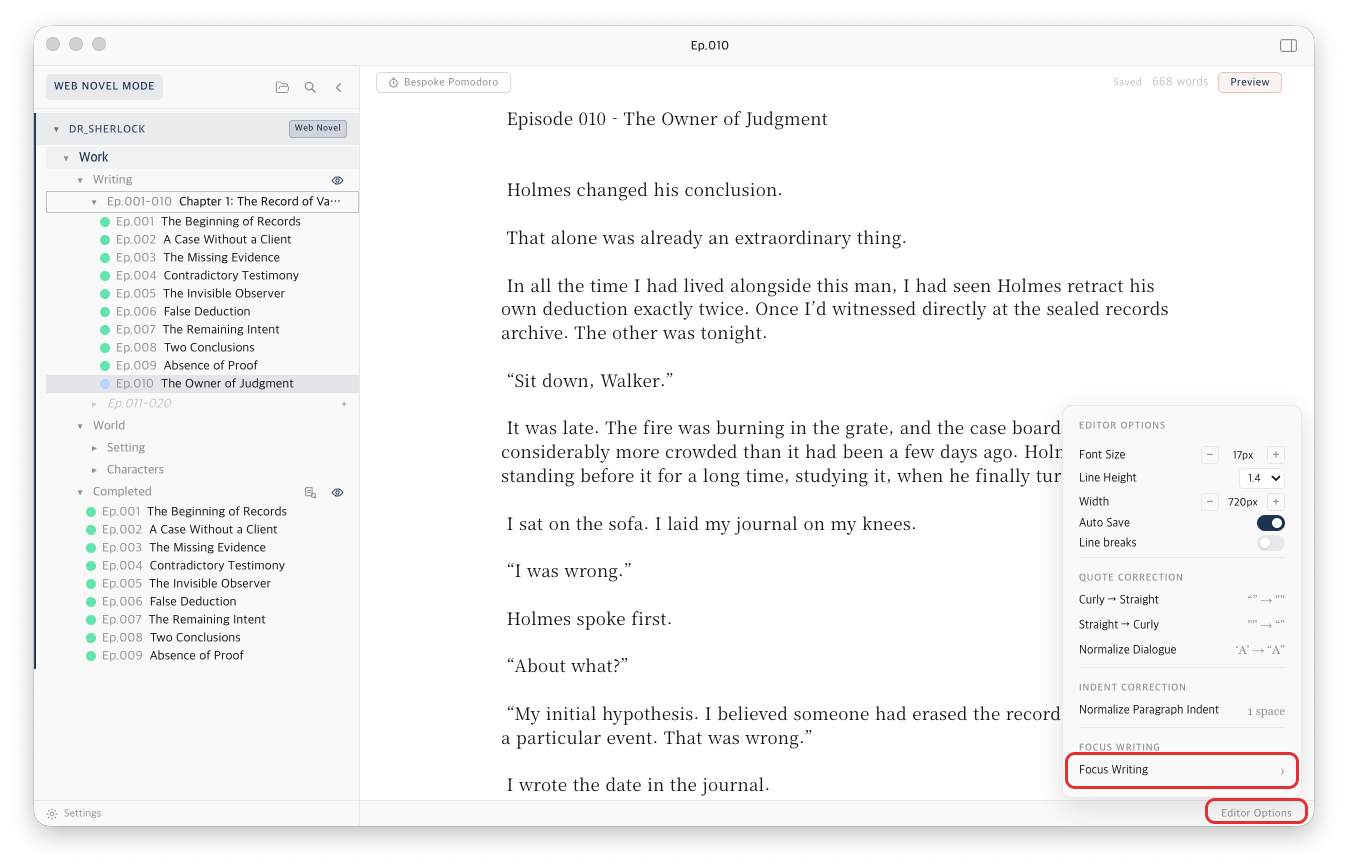
Open Editor Options at the bottom of the editor and click Focus Writing.
-
2
On the settings screen, tick Bespoke Pomodoro. The checkbox appears only in Web Novel Mode. Ticking it expands the mode, time, warning, and break sound settings, along with the break rules.
-
3
Set a Target characters count and Hard mode as well if you want, then click Start.
-
4
The progress display sits quietly in the bottom-right corner. Click it to choose Reset.
With Hard mode on, you cannot exit Focus Writing until you reach your character target, even after every cycle is finished.
Focus time and breaks
Both options follow the same flow.
-
1
Focus time — think only about writing. When one minute is left, the edges of the screen glow softly in your theme color three times and the warning chime plays once. You can keep writing while it glows. Use it to wrap up your sentence.
-
2
When focus time ends, a "Focus time is over" dialog appears. The break starts only after you click OK.
-
3
Break time — the editor locks and only the break notice is shown. Any open preview windows close, and the secondary sidebar stays hidden until the break ends. If you chose a break sound, it loops for the length of the break. Click the speaker icon next to the progress display to change the sound or volume during a break.
-
4
When the break ends, a "Break is over" dialog appears. Click OK to start the next focus session.
After the focus time of the last cycle, there is no break: a "Bespoke Pomodoro complete" dialog appears instead. Click OK to finish, and the screen returns to how it was before you started.
Making the most of your breaks
The settings screen shows these two rules as well.
- During breaks, avoid things that leave attention residue, like checking messages or watching videos. They weaken your focus in the next session.
- During breaks, close your eyes and rest, or stretch, if you can.
Good to know
Are my settings saved?
Yes. Your last focus time, break time, cycles, and sound settings are saved, so they are still there the next time you start or relaunch the app. Both options share the same settings.
If I quit and reopen the app, does a running timer carry on?
No. A session in progress is not restored, so start a new one.
I can't see the button.
Check that Web Novel Mode is on and that an episode file is open. Turning Web Novel Mode off while a session is running also ends Bespoke Pomodoro.
Get Glit
Glit is available from the stores below.
Have more questions? Browse the FAQ on the Support page or email us any time.